




Which Vendors Provide CRM-Based Member Portal Development Services?
Which Vendors Provide CRM-Based Member Portal Development Services?
If you're asking that question, you're probably past "do we need a member portal" and into "who can actually build this correctly." That second list is a lot shorter than the first.
Plenty of agencies will build you a page with a login screen. Far fewer will build a portal that pulls live data out of your CRM, applies role-based permissions by member type, and still holds up when your membership doubles or you add a new integration. That second thing, a true CRM-based member portal, is a narrower specialty. It's also one of the things we do most often inside HubSpot.
This post covers what actually separates a CRM-based portal from a gated login page, why most HubSpot agencies stop short of building one, what to check before you hire anyone for this work, and how we build these portals ourselves, with real examples from associations, program-based organizations, and member-owned financial institutions.
What actually makes a portal "CRM-based"
A lot of what gets called a "member portal" is really just a password wall in front of static content. Someone logs in, sees a page that was true the day it was built, and logs back out. That's gating. It's not a portal.
A CRM-based member portal is different because the data behind it is live. When a member logs in, what they see (their renewal date, their event history, their certification status, their organization's seat allocations) comes directly from CRM records, not from a page someone has to remember to update. Change a field in the CRM and the portal reflects it immediately, for that member and only that member.
That distinction matters more than it sounds like it should, because HubSpot's own native tools stop short of it. HubSpot's CMS Memberships feature is genuinely useful for gating content and doing light personalization off contact properties. What it isn't built for is much beyond that. For security reasons, HubL (HubSpot's templating language) can only pull certain custom objects onto a public-facing page, dashboards and account-management screens aren't part of the native toolkit, and there's no built-in way to model organizational role hierarchies, like a company admin who can see and manage everyone under their account.
None of that is a knock on HubSpot. It's a CMS feature doing what it was designed to do. It just means "member portal" and "HubSpot Memberships" aren't the same purchase, and a vendor who treats them as interchangeable is going to hand you something you'll outgrow in a year.
Why most HubSpot agencies stop at content gating
Building past that native ceiling takes real engineering, not template configuration. It usually means custom objects mapped to your membership structure (tiers, chapters, seats, certifications), serverless functions or middleware to pull that data securely onto a page, and permission logic that checks not just "is this person logged in" but "what should this specific person, in this specific role, be allowed to see and do."
That's a different skill set than building a marketing website, and it's why a lot of otherwise excellent HubSpot development shops don't take these projects on. They can build you a beautiful CMS site. They haven't necessarily spent years writing the API and data-mapping work that a real portal requires.
What to actually look for in a vendor
Before you hire anyone for this, a few things are worth checking regardless of who you're talking to:
Do they work with your CRM data model directly, meaning custom objects, associations, and properties, rather than just contact records and lists? Have they built role-based permissions before, where different member types or organizational roles see different things inside the same portal? Do they have experience connecting the portal to the other systems your members actually touch: an AMS, an LMS, a payment processor, an events platform? Can they show you a live portal they built, not a mockup? And what does support look like after launch, since a portal is infrastructure, not a one-time deliverable?
If a vendor can't speak specifically to CRM object modeling and integration work, they're likely proposing a gated content site and calling it a portal.
How media junction builds CRM-based member portals
We run every portal project through the same six-phase process, regardless of industry: research, data mapping, UX and architecture design, system integration, QA, and launch with ongoing support. The data mapping phase is where most of the real work happens. Before we design a single screen, we map exactly which CRM fields, custom objects, and external systems need to feed the portal, and who should see what.
That's what lets us build role-based permissions that actually mean something. Employees, members, partners, or vendors only see the information relevant to their role, whether that's a member checking their renewal status, a chapter admin managing their organization's roster, or a partner reviewing shared project data. We've built this across the three portal categories most organizations need: employee portals for internal operations, vendor and partner portals for external collaborators, and customer or member portals for self-service. We wrote more about how to think through which type your organization needs first in Choosing the Right Kind of Portal: Broker, Customer, or Employee?, and the short version applies here too: trying to solve for every audience in one portal usually means underserving all of them.
On the integration side, our HubSpot services work covers connecting portals to CRMs, ERPs, learning management systems, and payment platforms, so a member's portal experience isn't an island sitting next to your actual systems of record.
Real portals we've built
Project FoodBox runs a medically tailored nutrition program across California, and their digital presence has to serve two very different audiences at once: the public looking for program information, and program participants, managed care providers, and community organizations who need ongoing access to case information. We built them a custom member tracking portal alongside their HubSpot CMS website, unifying public outreach and internal program management into one system instead of two disconnected ones.
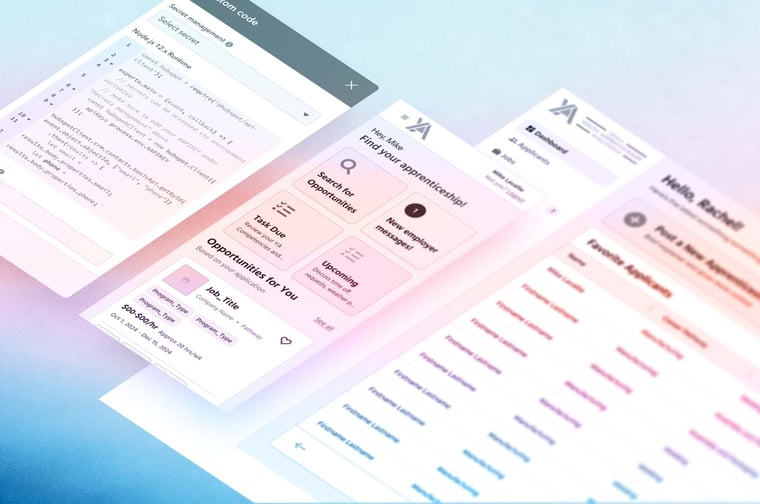
YA Wisconsin, a youth apprenticeship program connecting high school students with paid career experience across more than 80 industry pathways, needed a portal that worked for three stakeholder groups with almost nothing in common: students, educators, and employers. We rebuilt their site and portal experience around those three distinct paths rather than forcing one generic login experience on all of them.
We've also done this work for member-owned financial institutions, where "member" is the literal term for the customer. Credit unions face the same pressure associations do: members expect the same self-service quality they get from consumer apps, and every manual, phone-based process is a cost center. We covered the broader case for this in 7 Signs Your Financial Services Firm Needs a Secure Client Portal, and it's a pattern we've seen repeatedly in our own credit union portfolio, where portal and CRM work often go hand in hand with broader HubSpot implementation.
One client summed up the engagement this way: "The work they provided was tremendous and puts us in a much better position for success moving forward."
That pattern, self-service expectations outpacing legacy systems, isn't unique to financial services. Association research shows the same gap. ASAE's guidance on custom member portals points to member expectations shaped by consumer brands as the driving reason associations move toward custom, integrated portals rather than off-the-shelf software. And Associations Now's research on member experience trends found that 84% of members consider personalization important to their experience, while many associations are still working through outdated platforms that can't deliver it. A portal built on static content or basic gating can't close that gap. One built on live CRM data can.
Frequently asked questions
Does HubSpot have member portal functionality built in? HubSpot's native Memberships feature handles content gating and basic personalization well, but it's not a full portal system. It doesn't include dashboard interfaces, role-based permission hierarchies, or broad support for displaying custom object data on public pages. Organizations that need those things build a custom portal on top of HubSpot's CRM and CMS, rather than relying on Memberships alone.
How much does a custom member portal cost? It depends heavily on scope, but our portal development work typically starts around $25,000 for a defined-scope customer or member portal, with cost scaling based on the number of integrations, user roles, and custom features involved.
How long does it take to build one? Most of our portal engagements run through the same six phases regardless of size: research, data mapping, design, integration, QA, and launch. Simpler single-audience portals can move faster; multi-stakeholder portals with several integrations take longer, largely because data mapping and permission logic take real time to get right the first time.
If you're evaluating vendors for this
The question "which vendors provide CRM-based member portal development services" usually comes up because someone already tried the easy version, a gated page, a third-party membership plugin, a generic template, and it didn't hold up. That's the right instinct. This work is closer to CRM architecture than website design, and it's worth choosing a vendor who treats it that way.
If you're mapping out what a CRM-based member portal would actually take for your organization, from data structure to integrations to timeline, schedule a conversation with our team. We'll walk through your specific member data and tell you honestly what it would take to build.

Written by:
Dylan WickliffeDylan Wickliffe is a former HubSpotter and the current VP of Growth at media junction®. With eclectic experience ranging from the Marine Corps, to ministry, healthcare, SaaS, and even entrepreneurship, Dylan has learned to take pride in his unique approach to sales: "Dont make sales weird—sell like a HUMAN."
Related Topics: